Q: How do I provide context for readers?
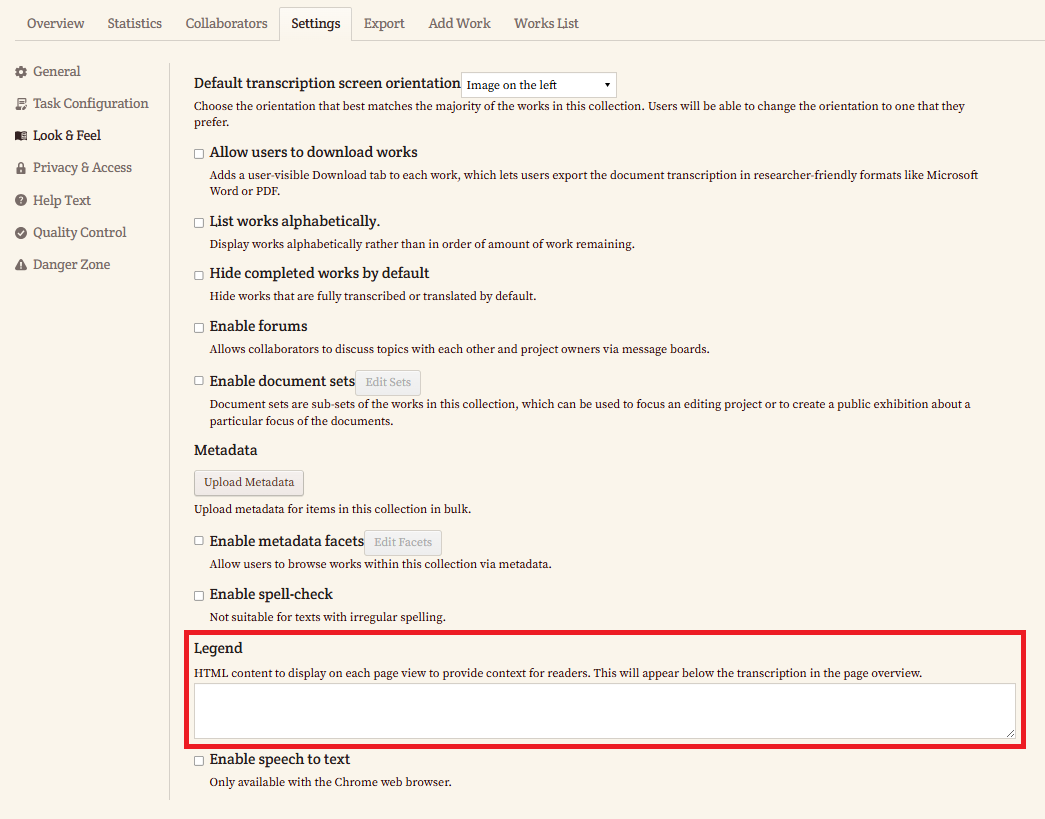
A: You can add contextual information for readers by using the Legend feature. Follow these steps:
- Go to the Settings tab of your collection.
- Click Look & Feel.
- Scroll down to the Legend section.
- In the Legend text box, add your content using HTML as needed.
The content you add here will appear on each page view of the collection, below the transcription in the page overview, helping provide helpful context for readers.